
Today’s digital transformation has completely changed the way applications are built. What once required a full development team, complex programming languages, and months of work can now be done visually and supported by AI. The combination of no-code builders and intelligent systems makes it possible for anyone to create mobile applications professionally.
One of the most capable platforms in this category is Adalo. It offers a visual, no-code environment complemented by database tools and API integration, allowing users to build applications with very little technical background. When combined with AI, Adalo becomes far more powerful, turning ideas into working applications rapidly.
This extended article explains what Adalo is, how AI enhances app development, and provides a long, detailed tutorial to help you build your own app from scratch.
What Is Adalo?
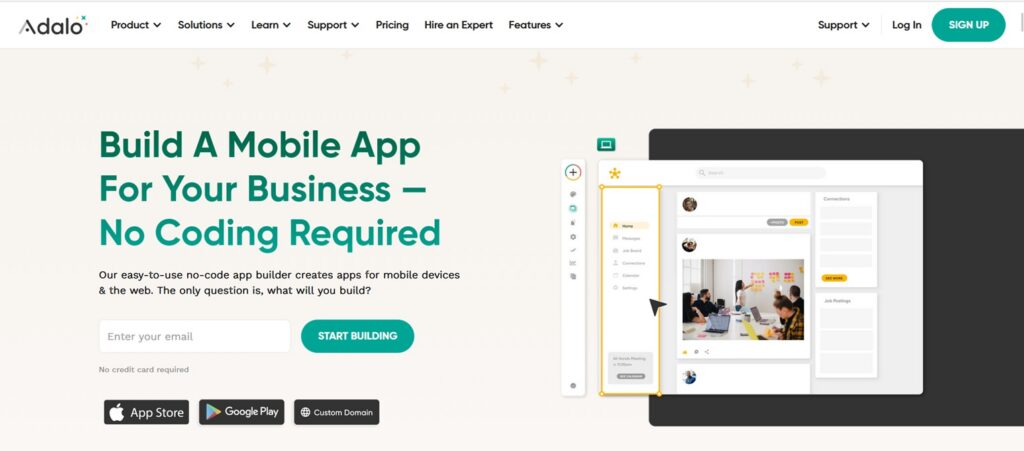
Adalo is a no-code platform designed to help users build mobile and web applications visually without writing code. Its features include:
Visual Drag-and-Drop Builder
Users can arrange UI elements directly on the screen.
Built-In Database
Adalo allows you to create collections such as Users, Products, Bookings, Messages, and more
Logic and Workflows
Every element in the app can trigger actions like saving data, navigating screens, or calling APIs.
API Integration
This is what enables AI. By connecting to platforms like OpenAI, your app can become interactive and intelligent.
Publishing Options
Apps built in Adalo can be deployed to Google Play, App Store, or as web applications.
How AI Makes App Development Easier
AI accelerates the building process in several ways
- Automatically generating text and content
- Enabling smart features like chatbots
- Automating responses and communication
- Reducing manual coding
- Speeding up prototyping dramatically
- Providing intelligent recommendations
When paired with Adalo, AI plays a role both in design and functionality.
Full Tutorial: How to Build a Mobile App Using Adalo and AI
This guide walks you through the process in detail.
1. Create an Account and Start a New Project
Sign up at Adalo, then choose a template or start from scratch.
2. Design the App Interface
Use the drag-and-drop builder to create screens and add components:
- Buttons
- Forms
- Input fields
- Lists
- Navigation
- Images and headers
Ensure your app is clean, consistent, and user-friendly.
3. Create the Application Database
Think about your app’s structure. Create collections such as:
- Users
- Products
- Orders
- Messages
- Categories
Each collection contains fields like name, image, price, ID, relationships, and more.
4. Build Workflows
Workflows give functionality to your app. Examples:
- Save a new user after clicking the register button
- Navigate to a specific page
- Filter database lists
- Trigger custom actions
This step transforms your app from static to fully functional.
5. Integrate AI via API
To add AI features:
- Create a Custom Action
- Insert AI API endpoint
- Input parameters for prompts or queries
- Read the AI response
- Display it in your app
You can create:
- Chatbots
- Translation tools
- Recommendation engines
- Auto-generated content
- AI assistants
This instantly elevates your no-code app into something far more advanced.
6. Test the Application
Use the preview panel to check:
- Button logic
- Data flow
- AI responses
- Error handling
- Performance
Fix issues directly from workflows or database settings.
7. Publish to Stores
Once complete, publish your app:
- As a PWA
- On Google Play
- On the App Store
Adalo provides instructions for exporting your app files and submitting them to the stores.
Creating mobile apps is now easier than ever. With AI and platforms like Adalo, anyone can build high-quality, intelligent, and fully functional applications without learning complex programming languages. This combination enables creators, entrepreneurs, and businesses to turn ideas into actual products faster, cheaper, and more efficiently.
